Recommended Articles
Future trends in wellness retreats: embracing psychedelics for mental health
Discover More About the Top 3 Home Addition Trends in Ottawa



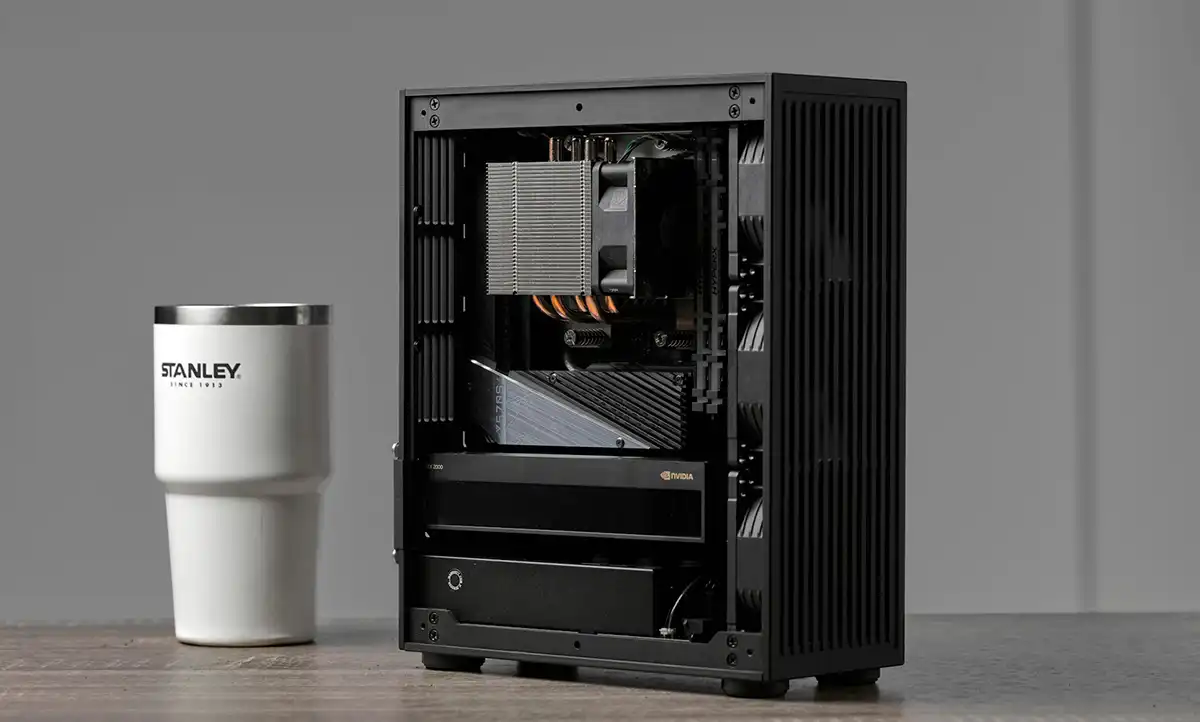
Compact desktop computers are displacing bulky system blocks in the modern technology market. New mini PCs offer high performance with minimal body dimensions. They are great for everyday office work, home media centers and casual gaming. Buying such a PC requires a deep understanding of basic hardware specifications and functionality.
The body size no longer limits the total computing power of a device. Leading manufacturers install advanced components in ultra compact form factors. Before choosing a particular PC, an important step is to make a preliminary assessment of daily tasks.
The central CPU determines the overall operating speed of your entire system. For basic tasks, budget energy-efficient chips are suitable. High processing power is required for complex video work. The amount of RAM directly affects system responsiveness during heavy multitasking. Before purchasing a mini PC Canada, it is important to review the key equipment specifications:
• CPU generation. New generations of processors provide better power efficiency.
• RAM capacity. For comfortable multitasking, a minimum of 16GB is required.
• SSD storage. Fast NVMe SSD drives ensure instant system boot.
• Graphics processing. Built-in integrated graphics are perfect for most tasks.
• Thermal design. A well-designed cooling system prevents thermal throttling under load.
• Power supply. The external power adapter must power all nodes steadily.
High-quality, original components guarantee a long service life for your system. Never save on thermal management and memory plasters.
The main advantage of compact desktops is their modest dimensions and ergonomics. Devices take up minimal footprint on the desktop. Many modern models initially support a convenient standard VESA mount attachment. This allows you to easily secure a small computer directly on the rear monitor panel.
Such an engineering solution completely frees up your desk space from unnecessary items. All connecting cables and wires remain completely hidden behind the screen. Your workspace looks neat, stylish and as modern as possible. At the same time, high compactness does not reduce usability in everyday use.
Ultra-compact body size often limits the total number of physical ports available. When selecting a suitable model for your periphery, consider the following required connectors:
• USB Type-C / Thunderbolt. Universal port for data transfer, video and power delivery.
• HDMI 2.1 / DisplayPort. Interfaces for connecting multiple high-resolution monitors.
• USB-A ports. Essential for connecting keyboards, mice, and legacy flash drives.
• RJ-45 Ethernet. Connector for a stable gigabit LAN connection.
• Audio jack. Combined 3.5mm connector for connecting headphones and microphone.
• MicroSD card reader. A useful connector for quickly transferring media files from cameras.
Carefully assess the number of external devices connected to the PC at a time. Any lack of built-in ports will have to be compensated by the purchase of dongles and USB hubs.
The very dense internal layout of the parts requires creating high efficiency heat dissipation. Passive cooling systems with massive heatsinks operate absolutely soundlessly. They are ideal for low-power, low-power office configurations. Active cooling uses compact cooling fans for fast forced heat dissipation.
When running resource-intensive heavy workloads, coolers can make noticeable fan noise. Well-thought-out premium models maintain quiet operation even under heavy loads. The maximum noise level is always specified in advance in passport specifications.
Constant overheating inevitably leads to automatic processing of CPU frequencies. The well-designed internal airflow prevents a drop in overall system performance.
Physical access to internal electronic components should remain straightforward. Be sure to check for available additional M.2 slots. This will allow you to easily expand your storage capacity without replacing the old SSD drive completely.
When choosing a reliable device, always consider the following important modernization factors:
• SO-DIMM slots. The presence of two slots allows you to enable dual-channel mode.
• 2 expansion. An additional connector expands the storage space of the system.
• Toolless access. A simple disassembly of the body without tools makes maintenance easy.
• BIOS support. Regular firmware updates improve overall system stability.
• Warranty policy. The official warranty must fully cover the upgrade itself.
• Component compatibility. Standard part formats make it easy to find quick replacements.
The ability to easily replace components yourself saves you money. You don’t have to change your desktop system completely in a couple of years.
Most out-of-the-box mini PCs come with a pre-installed Windows 11 OS. The final choice depends on your personal tasks and technical skills.
• Windows 11 Home/Pro. A standard choice for everyday tasks, gaming and out-of-the-box software.
• Ubuntu Linux. A great free alternative for developers, programming and servers.
• ChromeOS Flex. A lightweight operating system to turn your PC into a simple web browsing terminal.
• Proxmox / ESXi. A specialized software for creating home labs and running multiple virtual machines.
• Home Assistant OS. The perfect solution to turn your device into a central hub for your smart home.
The ready-made factory assemblies start to work completely right from the box. You do not have to spend personal time searching and setting up drivers.
Mini desktopes consume much less electricity compared to classic tower PCs. An ordinary full-size PC consumes hundreds of watts under a high workload. Compact mobile platforms require minimal power consumption to operate. This lowers your utility bills markedly during continuous operation.
Low overall energy consumption also means that a minimum amount of excess heat output is produced. Your room is completely unheated even during very long work sessions. This creates comfortable conditions for working in hot summer time.
High eco-friendliness of the equipment becomes a very important factor when purchasing machinery. Modern energy-efficient components greatly reduce the overall carbon footprint of your home. In the end you get a very powerful, quiet and extremely economical device.
Choosing a compact mini PC requires maintaining an ideal balance between body dimensions and overall performance. Before purchasing, always evaluate the number of built-in ports, cooling system device and potential for future hardware upgrade.
Photo: Unsplash