
• By: Allen Brown

How to Motorize Your Zebra Blinds for Effortless Control

Zebra blinds are a great mix of style and function, offering both privacy and light control in one sleek design. But what if you could make them even better? Imagine adjusting your blinds with just the push of a button; or even your voice. That’s where motorization comes in.

Motorizing your zebra blinds isn’t just a cool upgrade; it adds real comfort and convenience to your daily life. Whether you’re looking to modernize your home, make things easier for elderly family members, or just love gadgets, motorized blinds are an easy win. You don’t need to be a tech expert to do it yourself.


Understanding Zebra Blinds and Why You Should Motorize Them

If you want to upgrade your home’s window treatments, understanding zebra blinds and why motorizing them is a smart choice is a great place to start. Zebra blinds are popular because they blend style and function in one sleek design. 

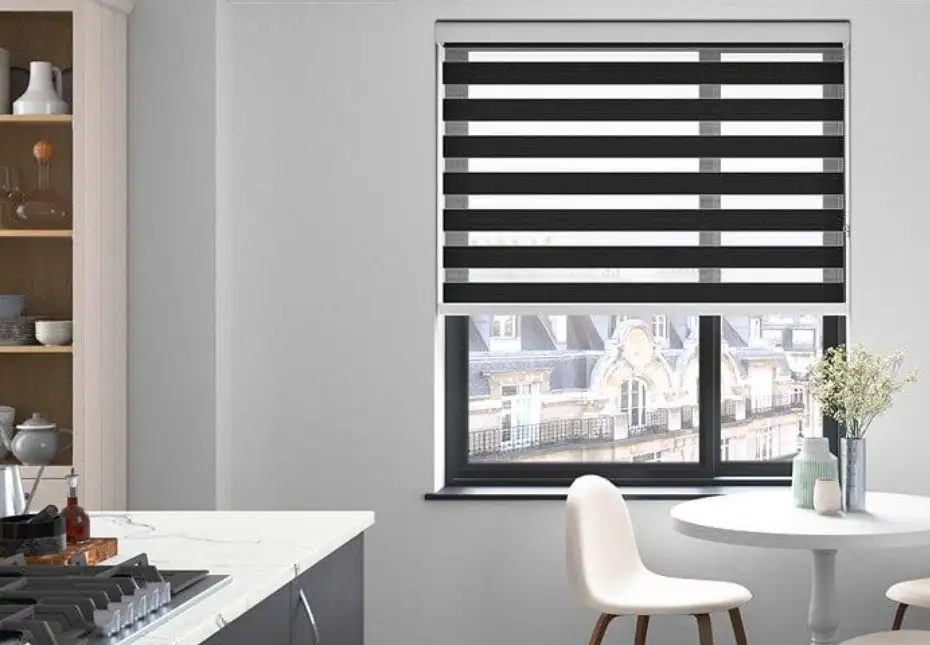
With alternating sheer and solid fabric stripes, they let you easily control how much light enters a room. You can adjust them to let in full sunlight or close them for privacy, all while adding a smooth, modern touch. For the best options, trusted blinds Toronto suppliers can help you find the perfect fit for your space.

What Are Zebra Blinds?

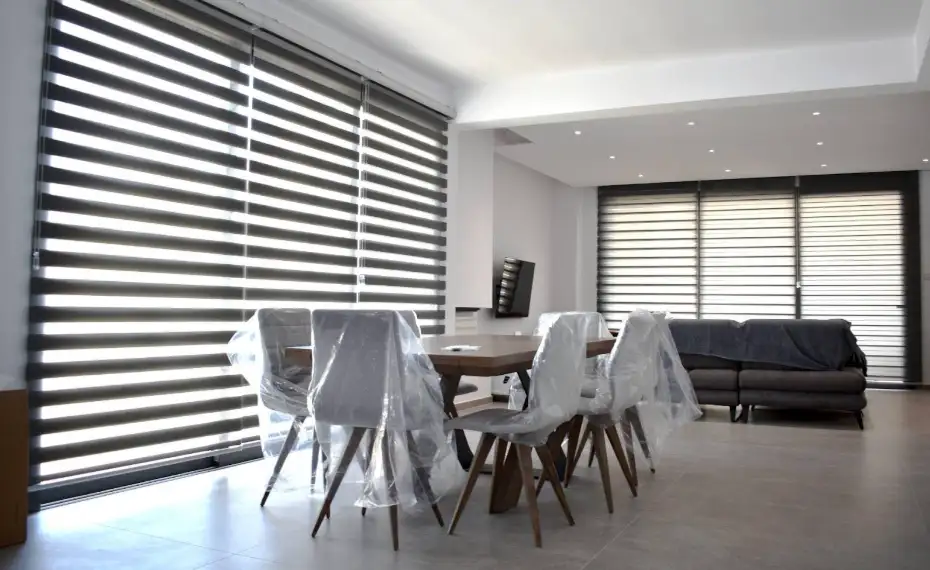
Zebra blinds, sometimes called dual or layered blinds, are made with two layers of fabric. One layer has solid stripes, and the other has sheer stripes. By moving the layers, you can line up the stripes in different ways. This controls the light and view without needing extra curtains or shades. They look neat and stylish and fit well in almost any room.

The Drawbacks of Manual Zebra Blinds

While zebra blinds are easy to use, pulling their cords or chains can sometimes be a hassle. If you have tall windows or multiple blinds, adjusting each one manually takes time and effort. Plus, the cords can be unsafe around kids and pets. Over time, the cords can wear out or get tangled, which means more maintenance.

Why Motorize Your Zebra Blinds?

Motorizing your zebra blinds solves these problems and adds convenience. With a motorized system, you can open or close your blinds with a remote, a smartphone app, or even your voice. It makes daily life easier, especially if your blinds are hard to reach. 

Motorized blinds also help protect your blinds from wear and tear since there are no cords to pull. Plus, you can set timers or schedules, so your blinds adjust automatically at certain times of the day, saving energy and improving comfort.


Tools and Materials You’ll Need to Motorize Zebra Blinds

Before you start motorizing your zebra blinds, it’s important to know what tools and materials you’ll need. Having everything ready makes the process smooth and stress-free. Motorizing your zebra blinds is easier than you might think, especially when you choose quality products like those available from trusted zebra blinds Canada suppliers.

Essential Tools for the Job

You’ll need some basic tools that most people already have around the house. A screwdriver is usually the most important tool because you’ll be attaching brackets and the motor to the blinds. Depending on your blinds and motor kit, a drill might also be helpful for making holes or securing brackets firmly to the window frame. 

A tape measure is useful to make sure everything lines up correctly, and a level can help keep your blinds straight when installing the motor.

Choosing the Right Motor

The heart of motorizing your zebra blinds is the motor itself. There are different types to choose from, mainly battery-powered motors, plug-in motors, and hardwired options. Battery-powered motors are popular because they don’t need extra wiring and are easy to install. Plug-in motors require an outlet nearby but offer continuous power without worrying about battery life. Hardwired motors connect directly to your home’s electrical system, which is best for a clean look but usually needs a professional’s help.

Additional Materials to Consider

Besides the motor and tools, you’ll want to have mounting brackets that fit your blinds and the motor. Some kits come with everything included, but if you’re buying parts separately, make sure the brackets and motor are compatible with your specific zebra blinds. You may also need remote controls or a smart home hub if you want to control the blinds using your phone or voice.


Step-by-Step Guide to Motorizing Your Zebra Blinds

Motorizing your zebra blinds can seem tricky, but with the right steps, it’s a simple DIY project anyone can do. This step-by-step guide will help you add motorized control to your blinds, making your home more comfortable and modern.

Step 1: Measure and Prepare Your Blinds

Start by measuring your zebra blinds to make sure you choose the right motor and brackets. Check the width and length of the blinds and note any special mounting needs. If your blinds are already installed, you might need to remove them carefully before adding the motor.

Step 2: Attach the Motor and Brackets

Next, it’s time to install the motor. Most motor kits come with brackets that attach to the headrail—the top part of your blinds. Use a screwdriver or drill to secure the brackets firmly. Then, slide or clip the motor into place, following the instructions that came with your motor. Make sure everything fits snugly and is aligned straight.

Step 3: Connect to Power

Depending on the motor type you chose, connect it to its power source. If it’s battery-powered, insert the batteries as directed. For plug-in motors, plug the power cord into a nearby outlet. If your motor is hardwired, you might need a professional electrician to help with wiring safely.

Step 4: Sync with Remote or App

Now, pair your motor with the remote control or smartphone app. Most motors come with a simple syncing process. Follow the manual’s instructions to connect the devices, so you can open and close your blinds with ease. If you want voice control, link the motor to your smart home system like Alexa or Google Home.

Step 5: Test and Adjust

Finally, test your motorized blinds by opening and closing them several times. Check for smooth operation and make sure the blinds stop at the right positions. Adjust the limits if needed using the remote or app settings. This step ensures your blinds work perfectly without any jams or misalignments.


Smart Features, Maintenance Tips & Troubleshooting

Motorizing your zebra blinds opens the door to smart features that make your home more convenient and efficient. But to keep everything running smoothly, it’s important to know how to maintain your blinds and handle common problems.

Smart Features to Make Life Easier

Many motorized zebra blinds can connect to smart home systems like Alexa, Google Home, or SmartThings. This lets you control your blinds with simple voice commands. You can also use smartphone apps to schedule your blinds to open or close at specific times, like sunrise or sunset. This automation saves energy by managing sunlight and keeps your home comfortable without lifting a finger.

Easy Maintenance Tips

Keeping your motorized blinds in good shape is easy if you follow a few simple steps. Regularly dust your blinds with a soft cloth or a gentle vacuum brush to prevent dirt buildup. Check the motor and brackets for any loose screws or signs of wear. If your blinds use batteries, replace them before they run completely out to avoid motor strain. Also, avoid forcing the blinds if they feel stuck; this can damage the motor.

Troubleshooting Common Issues

If your motorized zebra blinds stop working or respond slowly, the first thing to check is the power source. Make sure batteries are fresh or that the motor is plugged in securely. If the remote or app doesn’t control the blinds, try resyncing the devices. Sometimes, resetting the motor by unplugging it for a few minutes can solve glitches. 

For blinds that don’t move smoothly, inspect the tracks and clean any dirt or debris. If problems persist, contacting the manufacturer or a professional can help prevent further damage.


Conclusion 

Motorizing your zebra blinds is a smart, simple upgrade that makes life easier. With the right tools and a little time, you can enjoy remote control, voice commands, and smart scheduling. Say goodbye to tangled cords; hello to effortless comfort.